

You want every World Cup kickoff, not spoilers at 3 a.m., right? Then stop trusting vague “local time” blurbs and fix the clock chaos. UTC rules; your couch doesn’t. DST flips, abbreviations lie, and broadcasts shift—suddenly your 2 p.m. becomes whoops, 1 a.m. Use a world clock, lock your calendar’s time zone, set brutal alerts. Or keep guessing. Your call. But if you want zero misses, here’s the play—
Key Takeaways
- Use UTC as the anchor; convert from UTC to your local zone for consistent match times.
- Beware DST shifts, ambiguous abbreviations (e.g., CST), and non-hour offsets that skew conversions.
- Use reliable web converters or mobile world clock apps with DST indicators for instant city-to-local results.
- Import ICS fixtures into your calendar; enable time zone support and avoid floating times to prevent mismatches.
- Set multiple alerts and share time zone–aware links to coordinate viewing and avoid spoilers.
Understanding Official Match Times: UTC, Local Venue Time, and Broadcast Listings

Although you swear you know kickoff, you don’t—until you nail the time code. The schedule shouts three things. UTC, venue time, and the TV grid. You ignore one, you miss the match. Simple. UTC conventions give you the anchor. Zero fluff. You convert from that, not from a rumor. Check the venue line next. That clock speaks for the stadium, the whistle, the roar. Then look at the broadcast listings you actually use. Your platform. Your region. Stop assuming the app is psychic. Do the math with your local offsets, press confirm, breathe. Example: 18:00 UTC, listed, not guessed. Venue says 20:00 in their city. Your screen? Maybe 13:00. Maybe 12:59 if you’re jumpy. Set alerts. Own kickoff. Don’t beg spoilers. Watch live, brag.
Spotting Time Zone Traps: Daylight Saving, Ambiguous Abbreviations, and Regional Variations

While you think time is simple, the clock rigs the game. Daylight Saving flips the field without warning. Spring steals an hour. Fall throws it back. Some leagues switch; others refuse. You blink, kickoff moved. Northern fans lose sleep while Brazil shrugs. Australia? Opposite season, opposite shift.
You chase abbreviations and trip. CST means Central in the US, China in Asia, Cuba in July—pick your poison. Those abbreviation conflicts will burn you. Local TV says 8 p.m., but which 8? The wrong one.
Then the weird stuff. Half hour zones punch holes in your plan. India laughs at your neat math. Newfoundland too. Even quarter offsets lurk. Borders bend, provinces rebel, islands improvise. You want certainty? Check dates, know regions, question everything. Now.
Quick Conversions: Web Tools, Mobile Apps, and World Clock Shortcuts

How fast do you want the kickoff math done? Faster than a counterattack. You open a web converter, type city, slam enter. Boom. Local time. No drama. Prefer apps? Grab a world clock with offline zones and bold daylight flags. Pin widgets. Watch times flip while you doomscroll. You want speed? Use Voice Shortcuts. Say it. Get it. Stop pretending math is fun at 3 a.m. Compare tools like a ruthless coach. If taps drag, delete. If ads stall, nuke. Need proof? See what actually helps, not pretty menus. You’re busy. Matches aren’t waiting.
| Tool | Why it wins |
|---|---|
| Web converter | Instant results, zero setup |
| Clock widget | At-a-glance, great Widget Comparisons |
Set alerts inside apps, not your brain, and stop guessing kickoff chaos ever again.
Add Fixtures to Your Calendar: ICS Files, Google/Apple Calendars, and Time Zone Settings
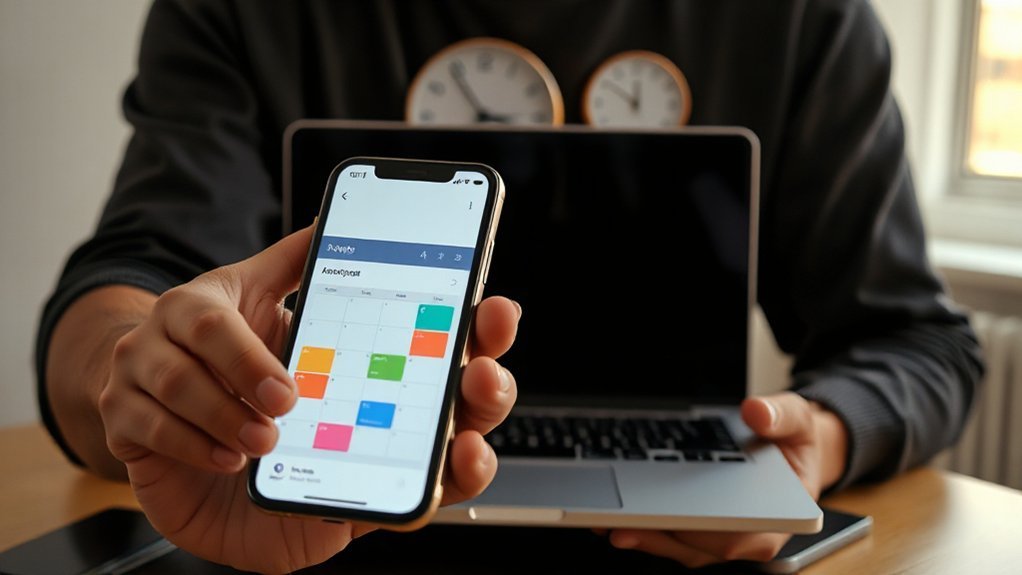
Importing fixtures isn’t cute—it’s survival. Grab the ICS file. Don’t overthink it. Download, then import into Google Calendar or Apple Calendar. You want dates, not drama.
Set your time zone like you mean it. In Google, check Settings > Time zone, lock it. In Apple Calendar, enable time zone support, pick home turf. No, not “floating.” That’s chaos.
Open the ICS preview. Scan Event Metadata. Stadium, kickoff, TV feed, maybe notes. If it’s blank, that’s a red flag. Toss it.
Grant Calendar Permissions wisely. Read only is fine. You’re not letting strangers rewrite your week.
Name the calendar “World Cup—Do Not Touch.” Color it loud. Green for group stage. Red for knockouts. You’ll feel the pressure. Good. That means you’ll show up. On time.
Automate and Share: Alerts, Time Zone Aware Links, and Group Planning

You loaded the fixtures and set your time zone. Now stop winging it and automate. Set alert customization like a ruthless coach: kickoff minus 30, lineups on release, penalties at sudden death, silence at 3 a.m. Push reminders to email, SMS, watch. No excuses. Share time zone aware links so your friends stop asking when. One link, their zone, done. Build a group plan that actually works. Assign rides, snacks, stream links. Color code roles. If someone flakes, they sit. Use permission management like a gate. Editors plan, viewers follow, trolls get benched. Sync channels: calendar, chat, sheet. Test everything before matchday. Screw lag. You want goals, not guesswork. Automate hard now, celebrate louder later. Own the schedule, own the night, no mercy today.


