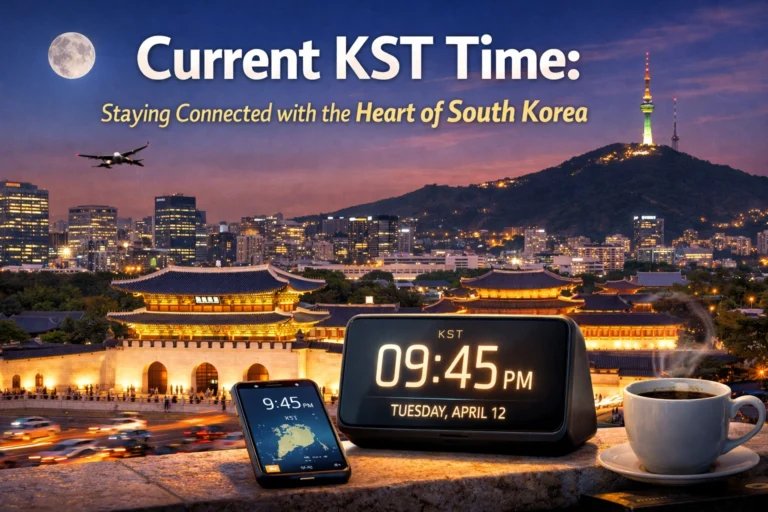

You can get Seoul’s current time instantly because Korea Standard Time is fixed at UTC+9 and doesn’t use daylight saving. Check your device or a world clock to confirm the exact hour and date, especially if you’re scheduling across dates. If you’re coordinating with people in other zones, you’ll want to verify AM/PM and potential date changes—here’s how to avoid the common pitfalls.
Understanding Korea Standard Time (KST)
Korea Standard Time (KST) is the permanent time standard for the Korean Peninsula, set at UTC+9; it doesn’t observe daylight saving time, so when you schedule or convert times you treat KST as nine hours ahead of Coordinated Universal Time. You should apply KST consistently for timestamps, timetables, and legal documents to avoid ambiguity. When converting, add nine hours to UTC or subtract nine hours from KST to get UTC. KST is uniform across South and North Korea, so regional offsets aren’t a concern. Time zone identifiers like Asia/Seoul (IANA) map reliably to KST in computing and databases; use them for clarity. Remember that KST’s fixed offset removes seasonal adjustments, simplifying long-term planning and timestamp comparisons. You’ll rely on it for consistent cross-border coordination.
How to Check Seoul’s Current Time Instantly
How do you check Seoul’s current time instantly? Use reliable sources: official government sites, world clock services, or your device set to Asia/Seoul. Open a trusted site or tap your phone’s clock app, verify it’s set to KST (UTC+9), and read the displayed time. For quick checks, use built-in widgets, voice assistants, or search queries like “Seoul time.” Confirm accuracy by comparing two independent sources if precise timing matters.
| Source | Method | Speed |
|---|---|---|
| Phone clock | Set zone to Asia/Seoul | Instant |
| Search engine | Query “Seoul time” | Instant |
| World clock site | Select Seoul | Instant |
Follow these steps and you’ll get Seoul’s current time immediately. If you rely on time for meetings or travel, sync devices regularly and prefer official or widely used services to avoid errors today.
Converting Between KST and Major World Time Zones
Want to convert KST to other zones quickly? KST is UTC+9; to convert, subtract or add hours relative to UTC. Identify the target zone’s UTC offset, then compute KST minus (9 minus target offset) or convert KST to UTC by subtracting 9 hours, then add the target offset. Remember date changes when crossing midnight.
- To PST (UTC−8/−7 DST): subtract 17 hours (standard) or 16 hours (DST).
- To EST (UTC−5/−4 DST): subtract 14 hours (standard) or 13 hours (DST).
- To GMT/CET/JST: subtract 9 hours for GMT, subtract 8 hours for CET (UTC+1), subtract 0 hours for JST (UTC+9).
Apply offsets, check date rollovers, and state the local date with the converted time. If uncertain, verify by converting through UTC and confirm AM/PM and calendar date. for accuracy, always.
Tools and Apps for Accurate Timekeeping
You should use world clock apps to keep Seoul time at your fingertips and compare multiple zones instantly. Enable atomic clock sync on your devices to guarantee millisecond-accurate timestamps for scheduling and logging. Use reliable time zone converters when planning meetings or travel to avoid errors from DST or offset changes.
World Clock Apps
When coordinating across time zones, world clock apps give you precise, synced time and simplify scheduling. You’ll add Seoul alongside your local time, set custom labels, and view offsets at a glance quickly. Choose apps that display DST rules, automatic zone detection, and reliable updates so you avoid meeting errors. Use alarms and widgets to keep Seoul time visible without opening the app. Integrate with calendars to convert event times instantly; confirm time before inviting participants. Pick apps with offline support, minimal permissions, clear update logs, and lightweight design to maintain reliability, privacy, and fast performance consistency.
- Add cities and customize labels for quick reference
- Use widgets and favorite lists for persistent visibility
- Sync with calendar apps to auto-convert event times
Atomic Clock Sync
Although most devices keep time well enough for casual use, they’ll drift and need correction against an atomic reference. You can align devices to Coordinated Universal Time (UTC) via Network Time Protocol (NTP) servers tied to atomic clocks or use Precision Time Protocol (PTP) for sub-millisecond accuracy on local networks. Choose reputable public NTP pools or commercial services that reference national metrology institutes. On smartphones and desktops, enable automatic time sync and verify server selection; specialist apps and hardware time servers give diagnostics, logs, and GPS-sourced discipline for offline reliability. For critical systems, implement authenticated NTP, redundant servers, and monitoring to detect anomalies. Regular audits and firmware updates maintain integrity. These measures keep your clocks consistent with atomic standards and reduce cumulative timing errors.
Time Zone Converters
How do you avoid scheduling mishaps across time zones? Use reliable time zone converters that show current local time, convert meeting times, and handle daylight saving automatically. You’ll pick tools that integrate with calendars, provide shareable links, and display multiple cities simultaneously. Prefer converters with atomic-clock synchronization and clear UTC offsets to eliminate guesswork.
- World clock apps that sync with your calendar
- Web converters that generate meeting links and time ranges
- Browser extensions showing local time and UTC offset
You’ll confirm the converted time against Seoul’s official time (KST, UTC+9) before sending invites. Test the tool for daylight saving shifts and mobile compatibility. Rely on converters to standardize scheduling, reduce errors, and save time. Adopt one dependable converter and use it consistently worldwide daily.
Scheduling Calls and Meetings With Seoul
Since Seoul uses Korea Standard Time (UTC+9) year‑round, you’ll need to plan meetings around KST business hours (roughly 09:00–18:00) and identify overlap windows that work for both parties. Determine the common working hours by converting participants’ local times to KST, then propose narrow slots (e.g., 09:00–11:00 or 16:00–18:00 KST) to maximize overlap. Use reliable converters, state times with zone labels (KST or UTC+9) in invites, and include a UTC reference. Send calendar invites that auto-adjust to recipients’ devices and specify expected duration and agenda. Prefer recurring slots at consistent times. If after‑hours are unavoidable, rotate inconvenient times fairly and confirm consent in advance to preserve goodwill. Allow a brief window for technical checks and explicitly state backup connection methods to avoid wasted time and delays.
Time Differences During Daylight Saving Changes Elsewhere
When partners in other countries enter or leave daylight saving, Seoul’s fixed UTC+9 means your time difference can change overnight, shrinking or expanding meeting windows. You should track DST shifts in counterpart time zones and update calendars immediately. Rely on authoritative sources and automatic calendar adjustments, but verify recent policy changes in countries that alter DST dates or abolish DST. Communicate any one-time offsets to participants clearly.
- Check each participant’s local DST rules before scheduling.
- Use UTC as a stable reference when proposing times.
- Note temporary offsets in meeting invitations to avoid confusion.
Maintain awareness of regional DST anomalies; they create one-hour jumps or falls that affect deadlines, coordination, and real-time collaboration across borders. Plan proactively and confirm times to prevent costly scheduling errors.
Tips for Travelers and Remote Workers in Seoul
Wondering how to stay productive and comfortable while working or traveling in Seoul? Plan your day around local business hours—most offices and shops open around 9–10 AM and close by 6–10 PM depending on area. Use reliable mobile internet: buy a local SIM or eSIM, or rent a portable Wi‑Fi device. Choose accommodations with dedicated workspaces and stable power outlets; carry a universal adapter and power bank. Book co‑working spaces for focused work and cafés for short sessions, but confirm Wi‑Fi and noise levels first. Leverage Korea’s efficient transit: learn subway lines and peak times to avoid delays. Manage jet lag by adjusting sleep before arrival and exposing yourself to daylight. Keep copies of important documents and emergency contacts, and respect local punctuality, etiquette.
Common Time Conversion Mistakes to Avoid
Don’t assume DST rules are the same everywhere—Seoul stays at UTC+9 year‑round, but other locations shift and will throw off your calculations if you forget daylight saving. Mixing 12‑ and 24‑hour formats invites AM/PM mistakes, so always confirm the format when scheduling. Use unambiguous labels like KST or UTC+9 instead of vague abbreviations (e.g., CST), and you’ll prevent timezone confusion.
Forgetting Daylight Saving
If you forget that South Korea doesn’t use daylight saving time while the other party’s country does, you’ll likely schedule meetings an hour off. You must treat Korea as fixed at UTC+9 year-round. Check the other location’s current DST status before confirming times, and don’t rely on memory during changeover periods. Use reliable tools that show both local offsets and DST flags, and communicate numeric UTC times to eliminate ambiguity. When coordinating recurring meetings, specify timezone and whether DST applies, and confirm any changes in advance.
- Verify DST start/end dates for the other country.
- Prefer UTC-based timestamps in invitations.
- Reconfirm times after DST shifts.
Adopt a standard protocol for checking offsets so you avoid recurring errors and preserve punctual, professional coordination, and build trust.
Mixing 12/24-Hour Formats
When you mix 12- and 24-hour formats across teams, you create avoidable confusion: AM/PM ambiguity, 12:00 vs 00:00 misunderstandings, and calendar apps that may misparse numeric-only times. You should standardize on one format for timestamps, specify examples, and validate inputs. Use 24-hour for logs and automation; use 12-hour with AM/PM for customer-facing interfaces if preferred. Document the standard, enforce it in templates, and add validation rules to catch numeric-only entries. Quick reference:
| Context | Recommended format |
|---|---|
| Logs | 24:00 (00:00–23:59) |
| Meetings | 12:00 PM / 01:00 PM |
| APIs | ISO 24-hour |
| Calendar exports | Explicit AM/PM or ISO |
That prevents misrouting and missed meetings. You should include format examples in subject lines, UI labels, and API docs, and run periodic audits to verify compliance and reduce scheduling errors each quarter.
Incorrect Time Zone Abbreviations
Why do time zone abbreviations cause so many scheduling errors? You rely on short codes like KST, CST, or IST, but those overlap across regions. When you assume an abbreviation is unambiguous, meetings shift, deadlines miss, and confusion spreads. To avoid that, always specify the location or use UTC offsets.
- Use full time zone names (e.g., Korea Standard Time) when scheduling.
- Add the UTC offset (e.g., UTC+9) to eliminate ambiguity.
- Confirm participant locations instead of trusting abbreviations.
You’ll prevent misaligned meetings by adopting a strict habit: favor explicit zones, include offsets, and verify attendees’ local times. That small discipline removes guesswork and keeps global coordination reliable. Always convert Seoul times to UTC+9 when sharing schedules to guarantee clarity across time zones. Everywhere, consistently.
Conclusion
You now know Seoul uses Korea Standard Time (UTC+9) year‑round. Use your phone, a trusted world‑clock website, or an NTP‑synced device to check the current time instantly, and confirm date rollovers when converting from other zones. When scheduling, state times in KST and your local zone, include UTC offset, and double‑check calendar invites. Rely on reliable apps and clear communication to avoid missed meetings or travel confusion. It saves you time and prevents costly errors.