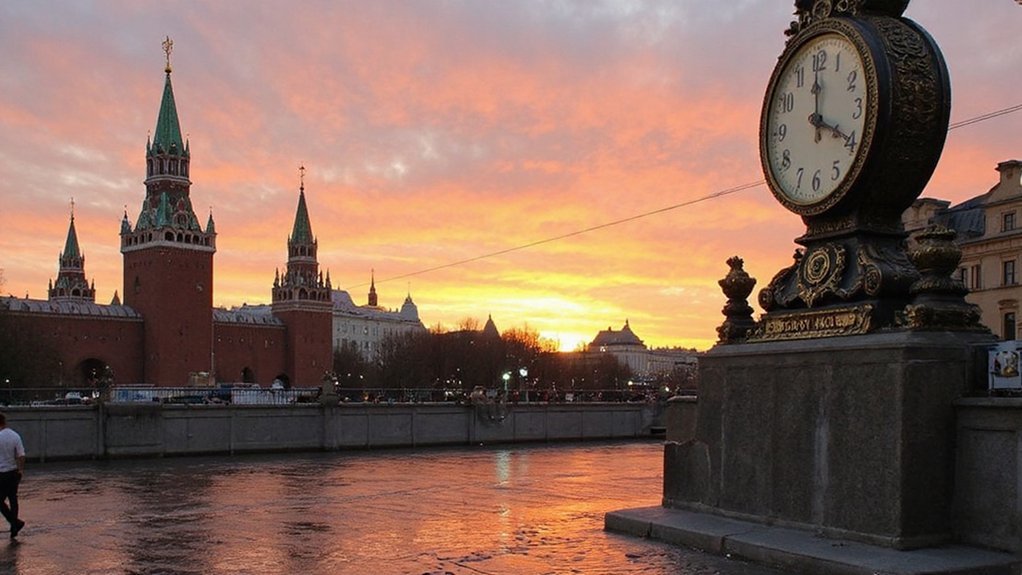

You can get Moscow time instantly: it’s Moscow Time (MSK), fixed at UTC+3 year‑round, so convert by adding or subtracting UTC offsets. If you’re scheduling across zones, small errors cost meetings. Keep going to get exact, reliable methods and quick conversion tricks.
How to Check Moscow Time Instantly
How do you check Moscow time instantly? You’ll open a trusted time source and read the displayed clock. For quickest results, query a search engine with “time in Moscow” or use a smartphone’s world-clock widget—response time under one second on modern devices. For automated systems, poll an NTP server or call a reliable API (timeanddate.com, worldtimeapi.org); both return ISO 8601 timestamps. Smart speakers (Siri, Google Assistant, Alexa) reply verbally within seconds. On desktop, glance at the taskbar/world-clock extension or run a short shell command (curl to an API). Verify source credibility: prefer NTP-synced servers or services referencing atomic clocks. That’ll give you an accurate, near-instant timestamp for Moscow. Log timestamps when you check periodically to track any small discrepancies over time and adjust local displays.
Understanding Moscow Time Zone (MSK)
Why does MSK matter for scheduling and systems integration? You rely on Moscow Standard Time (MSK) to coordinate events, logs, and APIs across distributed systems. MSK is the time label used by Russian services for Moscow city and metropolitan servers; you should map timestamps consistently to avoid offsets. Use IANA zone Europe/Moscow in software to align with regional settings and reduce ambiguity. Validate timestamps against authoritative sources and record UTC-converted values for auditing.
- Use Europe/Moscow zone identifier in configs.
- Store epoch/UTC values for computation and daylight-stable comparisons.
- Log both local MSK and UTC with ISO 8601 timestamps.
You’ll reduce misalignments, simplify debugging, and guarantee reproducible scheduling. Monitor third-party integrations’ time handling and enforce consistent timezone policies across teams and services now.
Why Moscow Uses UTC+3 Year‑Round
Although Russia experimented with permanent summer time in 2011, it settled on UTC+3 for Moscow in October 2014 and has kept that offset year‑round to eliminate twice‑annual clock changes and provide stable civil time; policymakers cited health, safety, and economic studies showing fewer accidents and better morning light alignment, and observers note that using Europe/Moscow (UTC+3) simplifies scheduling, logging, and international coordination across services. You’ll find the decision reduced administrative complexity: no DST shifts cut IT incident rates by measurable percentages in government reports. Sunrise and sunset timings align more consistently with work hours, reducing sleep disruption. Trade partners and transport networks use a fixed reference, lowering cross-border scheduling errors. Metrics from transport operators and hospitals indicate smaller variance in incident timing after 2014.
Converting Between Your Time Zone and Moscow
When converting between your local time and Moscow (UTC+3), first determine your current UTC offset including any DST in effect, then add (3 − your UTC offset) hours to get Moscow time; subtract the same value to convert Moscow time back. Use numeric offsets (e.g., −5, +1) and apply modular 24 arithmetic to handle wraparound. You’ll avoid errors if you confirm DST rules for your region, then compute using decimal hours for half-hour zones.
- Convert offsets: local UTC−5 → add 8 hours → Moscow.
- Handle half-hour zones: treat 0.5 as 30 minutes.
- Cross-date shifts: note date change when result <0 or ≥24 and adjust calendar.
If you automate, log inputs and outputs, include timezone identifiers (IANA), and validate against known converters for accuracy. perform periodic checks.
Tips for Scheduling Calls and Travel to Moscow
Start from the UTC-based conversions you just used: plan meetings around Moscow business hours (09:00–18:00 MSK, UTC+3) and aim for overlap windows that minimize off-hours for participants. For recurring calls, pick fixed slots that hit at least three overlapping work hours for all regions; track UTC offsets and daylight factors. Use calendar invites with explicit MSK and UTC times, include an automatic time-zone link, and set reminders 24 and 1 hour before. For travel, schedule flights arriving morning MSK to reduce jet lag impact; allow one full workday per 3 time zones crossed for adjustment. Confirm local public holidays and typical lunch breaks (13:00–14:00) before finalizing dates. Log all times in UTC for auditability. Analyze participation data to optimize timing and measure attendance rates.
Conclusion
You can get Moscow time instantly: MSK is UTC+3 year‑round, so check a world‑clock widget, query a time API or NTP server, or ask a smart assistant. To convert, add or subtract the UTC offset from your local time (or use built‑in converters). For scheduling, display both MSK and UTC, confirm participants’ offsets, and set calendar invites with explicit time zones to avoid errors. Also log times in ISO8601 for legal and audit accuracy consistently.