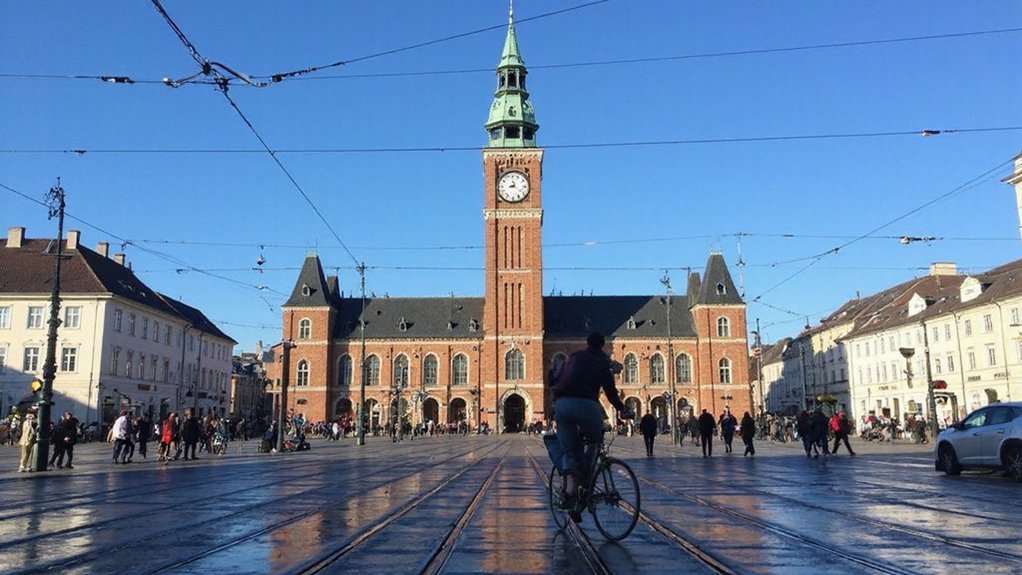

You want the exact time in Copenhagen right now, and you need it reliable. Copenhagen uses CET (UTC+1) in winter and CEST (UTC+2) in summer, with DST switches on the last Sundays of March and October. Keep reading if you want quick methods to get the correct current time and avoid DST mishaps.
How to Check Copenhagen Time Right Now
Need Copenhagen‘s current time right now? You check it quickly by using your device’s world-clock or lock-screen clock, verifying the city entry reads Copenhagen. Search engines return the city’s current time immediately; scan the top result for hours and minutes. Use a reliable clock app that syncs with internet time (NTP) to avoid drift. If you schedule meetings, confirm the time in your calendar view set to Copenhagen. For critical coordination, cross-check with an official Danish government, transportation, or embassy timetable. Avoid relying on unsynchronized wall clocks or outdated screenshots. With these steps, you’ll get Copenhagen’s precise current time and reduce mistakes when planning calls or travel. If connection or device issues arise, restart network services or switch to another synced device immediately now.
What CET and CEST Mean for Copenhagen
You should know Copenhagen uses CET (UTC+1) in winter and switches to CEST (UTC+2) in summer. The switch follows the EU daylight-saving schedule: clocks advance one hour on the last Sunday in March and revert on the last Sunday in October. That means you’ll need to adjust meeting times, travel plans, and device settings during those shifts.
CET Vs CEST
Because Denmark observes daylight saving, Copenhagen switches between Central European Time (CET, UTC+1) in winter and Central European Summer Time (CEST, UTC+2) in summer. You need to know the practical differences: CET is standard time, stable offset UTC+1; CEST adds one hour, UTC+2, for longer evening daylight. When you schedule across zones, confirm whether Copenhagen uses CET or CEST to avoid errors in calls, travel, or timetables. Your devices usually adjust automatically, but verify calendars and booking confirmations, especially for events near changeover periods. For legal and operational purposes, timestamps often indicate the applicable abbreviation (CET or CEST) and the UTC offset; use those markers to confirm exact timing when coordinating with Copenhagen. If you’re uncertain, check reliable time servers or official municipal sources.
Daylight Saving Schedule
Copenhagen follows the EU daylight saving schedule: clocks move forward one hour at 01:00 UTC on the last Sunday in March (CET → CEST, UTC+1 → UTC+2) and move back one hour at 01:00 UTC on the last Sunday in October (CEST → CET, UTC+2 → UTC+1). You should set devices to update automatically; most devices do. From late March to late October Copenhagen observes CEST (UTC+2); the rest of the year it uses CET (UTC+1). When scheduling international calls, confirm whether DST is active to avoid errors. Airlines, public transport and timetables follow the UTC change, so clocks jump. If you’re logging events or programming systems, use time zone identifiers (Europe/Copenhagen) rather than fixed offsets to handle time changes correctly. Check local official announcements annually.
When Denmark Switches Between Standard Time and Daylight Saving
You should note that Denmark springs forward to CEST on the last Sunday in March, advancing clocks one hour at 02:00 to 03:00. You’ll fall back to CET on the last Sunday in October, setting clocks back one hour from 03:00 to 02:00. These shifts follow consistent national timing rules, occurring simultaneously across the country at the stated local times.
Spring Forward Date
On the last Sunday in March at 02:00 CET, Denmark moves its clocks forward one hour to 03:00 CEST, beginning daylight saving time across the country. You should be aware that the change advances civil time so evenings have more daylight; mornings are darker initially. Official time, transport timetables, broadcasts and digital devices that follow network time update automatically, but you should manually check clocks that don’t. If you’re traveling or scheduling events around that date, confirm local times for flights, meetings and public services because timestamps shift. Employers, schools and public agencies adapt schedules to the new clock; you should verify shift patterns and opening hours. The rule is consistent annually: last Sunday in March, 02:00 CET to 03:00 CEST. Every year consistently.
Fall Back Date
When daylight saving ends on the last Sunday in October at 03:00 CEST, Denmark moves clocks back one hour to 02:00 CET, returning to standard time and giving that night an extra hour. You should plan travel, work schedules, and devices accordingly: public transport timetables often note the repeated hour, and automated systems in Denmark typically adjust themselves. Check calendars and alarms to avoid confusion. The change reduces evening daylight but stabilizes winter timing. Below is a quick reference.
| Item | Note |
|---|---|
| Date | Last Sunday in October |
| Effect | Clocks go 03:00→02:00, extra hour |
Keep local sources handy to confirm dates. You can expect consistent application across Denmark; check official Danish timekeeping sites or your device settings to verify the date and avoid missed appointments.
Transition Timing Rules
Having covered the fall-back date, here’s how Denmark switches between standard time and daylight saving so you can plan schedules and devices accurately: You’ll set clocks forward one hour at 02:00 CET on the last Sunday in March (to 03:00 CEST) and set them back one hour at 03:00 CEST on the last Sunday in October (to 02:00 CET). These clock changes follow EU rules still observed in Denmark: they occur simultaneously across the country and apply to all civil timekeeping, transport timetables, computer systems, and legal deadlines. You should configure servers and devices to use time zone Europe/Copenhagen with automatic DST adjustments, test before deadlines, and document planned changes to avoid errors and communicate updates to stakeholders well ahead of clock-change times every year.
How to Convert Your Local Time to Copenhagen Time
How do you convert your local time to Copenhagen time? First identify your current local UTC offset including DST, then determine Copenhagen’s offset: UTC+1 in standard time, UTC+2 in daylight saving. Check the date to know if DST applies in either location. Calculate the numeric difference between your offset and Copenhagen’s offset. Add that difference to your local clock: if Copenhagen is ahead, add hours; if behind, subtract. Watch for crossing midnight and adjust the calendar date accordingly. For fractional offsets (for example, UTC+5:30), include minutes in the arithmetic. Verify results by comparing the computed hour and date to a reliable source once when you first convert; after that you’ll apply the same offset method confidently. Do the math carefully around DST changes too.
Using World Clocks and Time Zone Tools Effectively
Why rely on world clocks and time‑zone tools? You’ll need consistent, current time references when coordinating with Copenhagen. Choose reputable tools, sync them to your device clock, and verify DST adjustments. Use features that let you save locations and show multiple zones simultaneously.
- Pick tools with automatic DST updates.
- Save Copenhagen as a favorite for quick access.
- Compare multiple cities side by side.
- Use mobile widgets for at-a-glance checks.
You should trust tools that show IANA/Olson identifiers and clear UTC offsets. When you schedule, consult the tool rather than memory. Keep device time set to network-provided time so conversions stay accurate. Rely on these practices to eliminate confusion and maintain punctuality. Periodically audit saved locations to confirm they match official zone definitions. Worldwide accuracy.
Common Time Zone Mistakes to Avoid When Scheduling Calls
Don’t assume Copenhagen’s clock stays the same year‑round; ignoring daylight saving causes missed calls and confusion. Be consistent with 12‑ or 24‑hour formats when you schedule and confirm times to avoid AM/PM errors. Always verify each participant’s time zone in your calendar invite rather than relying on memory or local labels.
Ignoring Daylight Saving
Because daylight saving shifts clocks on different dates and by different rules, you can easily schedule a call an hour off if you assume fixed offsets. You must confirm local observance and changeover dates before sending invites. Check Copenhagen’s Central European Summer Time start/end and compare to participants’ regions. Use reliable tz databases or calendar services that auto-adjust.
- Verify each participant’s current offset.
- Prefer calendar invites with time zone metadata.
- Note regional exceptions and legislative changes.
- Recheck times near changeover weeks.
If you ignore DST, meetings get missed, productivity drops, and trust erodes. Take the simple steps above to avoid errors and keep scheduling accurate. Automate checks, document assumptions, and communicate explicit local times to make sure everyone joins at the intended moment on schedule.
Mixing 12- and 24-Hour
After confirming offsets and changeover dates, don’t let time-format ambiguity undo your work: mixing 12- and 24-hour time in invites creates avoidable confusion about meeting start times. You should pick one clear convention, either 24 hour (13:30) or 12 hour with AM/PM (1:30 PM), and use it consistently across subject lines, calendar entries, and reminders. When you include participants from regions that prefer different formats, standardize your copy rather than relying on local client conversions. Always append a three letter zone tag (CET or CEST) or an explicit UTC offset (+01:00/+02:00) so the numeric format doesn’t mislead. Train your team, update templates, and proof invites before sending. Consistency reduces errors, missed calls, and follow up friction. It prevents scheduling mistakes and preserves professional credibility.
Not Verifying Time Zones
If you skip verifying each attendee’s time zone, you’re inviting missed calls and confusion. You assume everyone interprets meeting times the same way; you shouldn’t. Before you send invites, confirm locations, daylight saving observance, and preferred calendar settings. Use tools but don’t rely on them exclusively.
- Ask each participant for their local time.
- Specify the city (e.g., Copenhagen) and UTC offset.
- Note daylight saving shifts and date-specific offsets.
- Include calendar links that auto-adjust and a fallback time.
You cut errors by being explicit. Double-check invites, state the time in two formats when helpful, and require confirmation. That straightforward habit prevents scheduling friction. Make it a routine: verify time zones for every cross-border call and ask for explicit attendee acknowledgment now.
How Flight and Travel Plans Are Affected by Copenhagen Time
When you plan flights through Copenhagen, account for Central European Time (CET, UTC+1) and Central European Summer Time (CEST, UTC+2), since the switch to daylight saving late March–late October shifts local schedules by an hour. You’ll strictly check connections, calculate minimum layovers against arrival/departure times to avoid missed connections. Airlines and airports publish schedules in local time; verify reservations, boarding passes, and mobile alerts reflect CET or CEST. If you cross time zones before or after the DST change, confirm elapsed flight time and terminal scheduled hours. For transfers, allow buffer for passport control and customs, noting business hours shift with local time. When booking accommodation or transport, align pickup and check-in times to Copenhagen time to prevent overlaps or gaps in your itinerary.
Historical Notes on Denmark’s Time Zone Changes
In the late 19th century Denmark moved from local mean time to a standardized national time, adopting what became Central European Time to keep railways and communications synchronized; you’ll note that decision framed later adjustments. You’ll see daylight saving introduced during World War I, repealed and reinstated intermittently until permanent adoption in the 1980s. Occupation-era changes and postwar standardization also left traces in legislation. Key points you should know:
- Adoption of CET centralized schedules nationwide.
- Intermittent DST trials reflected energy and wartime needs.
- 20th-century legal acts clarified civil timekeeping.
- Occupation adjustments affected international coordination.
You’ll rely on these historical shifts to understand current Copenhagen time conventions and their legal roots. Consult primary legal texts and government archives if you need authoritative verification of dates, statutes.
Mobile and Desktop Settings to Keep Copenhagen Time Accurate
The historical shifts in Danish timekeeping inform how you should configure devices today, so start by setting your phone and computer to Europe/Copenhagen (CET/CEST) and enabling automatic time updates. On iOS and Android, choose the region-based timezone and permit network time; this guarantees DST adjustments apply automatically. On macOS and Windows, set the system zone to Europe/Copenhagen and enable internet time synchronization with NTP or default servers. For servers and apps, specify TZ=Europe/Copenhagen or use tzdata identifiers to avoid offsets. When traveling, don’t disable automatic adjustments; verify time after major updates or network changes. Check clocks in critical applications, calendars, and home automation to make sure they reference the Europe/Copenhagen zone rather than fixed offsets. Also update timezone databases and firmware regularly for accuracy consistently.
Tips for Coordinating Meetings Across Multiple Time Zones
Although time zones complicate scheduling, you can simplify coordination by choosing a single reference time, displaying participants’ local times, and committing to clear scheduling rules (like no-meeting blocks or rotating meeting windows). Use a reference (e.g., UTC or Copenhagen time) in invites, include local times, and set meeting expectations so participants know when to join. Standardize tools and automate conversions to avoid manual errors.
- Pick a single reference time for all invites
- Show each attendee’s local time in calendar invites
- Establish rules: no-meeting periods, rotating slots
- Use tools that auto-convert and send reminders
You’ll reduce confusion, respect work-life boundaries, and increase attendance by enforcing simple, consistent practices. Measure outcomes and iterate on windows and policies so your global team stays productive and predictable now.
Conclusion
Use a reliable world‑clock or your device’s Europe/Copenhagen setting to get Copenhagen’s current time; it’s CET (UTC+1) in winter and CEST (UTC+2) in summer. Check that DST switches on the last Sundays of March and October when scheduling, and verify the IANA identifier Europe/Copenhagen to avoid errors. Cross‑check across devices before critical meetings or travel, and prefer internet‑synchronized clocks for instant, accurate results. Do this, and you’ll prevent costly timing mistakes across time zones daily.