

You probably need the exact time in Amsterdam for a call or trip, and you want it right now. Amsterdam uses CET (UTC+1) in winter and CEST (UTC+2) in summer; DST runs from the last Sunday in March to the last Sunday in October. Use a world clock or time.is to get the current hour instantly—here’s how to confirm it and avoid scheduling errors.
How Amsterdam’s Time Zone Works
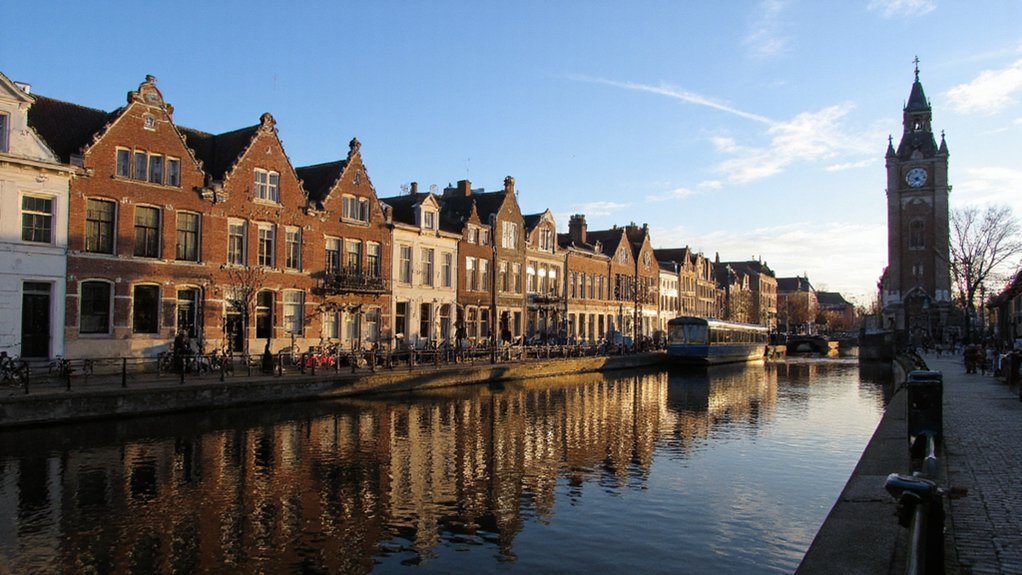
Although the Netherlands sits further west than much of Central Europe, Amsterdam follows Central European Time: UTC+1 in winter and Central European Summer Time: UTC+2 during daylight saving. You rely on this single legal time standard across the country; clocks, transport timetables, business hours and legal deadlines all reference CET/CEST. You won’t see multiple time zones within the Netherlands, and local practice aligns with national law and EU time coordination. For international coordination you convert using the UTC offsets; tools and devices typically adjust automatically when the city shifts between standard and summer time. If you’re scheduling with partners abroad, indicate Amsterdam time explicitly (CET/CEST or UTC+1/UTC+2) to avoid ambiguity. You should verify timestamps for legal or financial transactions to prevent costly misinterpretations explicitly.
When Daylight Saving Time Starts and Ends

Having established Amsterdam’s use of CET/CEST, here’s when the city changes its clocks: daylight saving begins at 02:00 CET on the last Sunday in March, when clocks jump forward one hour to 03:00 CEST (UTC+2), and it ends at 03:00 CEST on the last Sunday in October, when clocks go back one hour to 02:00 CET (UTC+1). You should note the time changes are fixed to those Sundays; they affect scheduling, travel, and device settings. Plan around the jump forward to avoid losing an hour, and expect an extra hour when clocks fall back. The table highlights practical impact.
| Time change | Effect |
|---|---|
| Start (March) | Lose 1 hour |
| End (October) | Gain 1 hour |
Keep systems updated to local time to avoid errors. Review clocks annually around time changes.
How to Quickly Check the Current Time in Amsterdam
When you need Amsterdam time fast, check your device’s World Clock or clock app. You can also search “current time Amsterdam” online for an instant, reliable result. You’ll get ongoing accuracy if you set your device or calendar to the Amsterdam time zone (CET/CEST).
Use World Clock
How do you check Amsterdam time fast? Use a world clock on your phone or computer: it shows current time, daylight saving status, and multiple cities. Add Amsterdam once; the clock updates automatically.
| Device | Action |
|---|---|
| iPhone | Clock app then World Clock then Add Amsterdam |
| Android | Clock app or Google Clock then World Clock then Add Amsterdam |
| Desktop | System clock or dedicated app then Add Amsterdam |
| Smartwatch | World clock complication then Select Amsterdam |
You’ll glance at one screen for accurate, DST-aware time. Set multiple clocks if you coordinate across zones. Rely on the world clock for immediate, authoritative time without extra steps. Enable notifications for time changes and verify timezone label reads “Europe/Amsterdam” to avoid confusion during DST shifts. Use it as your primary reference.
Search Online Instantly
If you prefer not to add Amsterdam to your device’s world clock, you can get the current time instantly via a web search. Just type “time Amsterdam” or “Amsterdam time now” into your search engine and the result will display the local time prominently at the top. The search result typically adjusts for daylight saving automatically and shows seconds when available. You can rely on reputable engines or use quick tools like “time.is” or “worldtimebuddy” links shown in results for confirmation. If accuracy matters, check two independent sources and note the timestamp. That’s all: search, read the displayed time, and proceed — no setup required, immediate, reliable, and sufficient for routine needs. For travel planning, always verify before making time-critical arrangements and adjust expectations.
Set Your Time Zone
Want the current Amsterdam time instantly on any device? Set your device to the Amsterdam time zone (Europe/Amsterdam) or enable automatic time zone by location. On iOS go to Settings > General > Date & Time and toggle Set Automatically; on Android open Settings > System > Date & time and enable Automatic time zone or choose Europe/Amsterdam from the time zone list. On Windows go to Settings > Time & Language > Date & time and set time zone to (UTC+01:00) Amsterdam or turn on Set time zone automatically. On macOS open System Settings > General > Date & Time and choose Europe/Amsterdam or check Set time zone automatically. Confirm daylight saving adjustments are active; you’ll then see accurate Amsterdam time on screen.
Converting Between Your Local Time and Amsterdam Time
You’ll start by comparing your local time zone to Amsterdam’s standard offset (CET, UTC+1) and its daylight-saving offset (CEST, UTC+2). Calculate the time difference by subtracting the UTC offsets and applying the resulting hour shift to your local time. Always check whether DST is in effect—Amsterdam uses CEST from the last Sunday in March to the last Sunday in October—so conversions are accurate.
Compare Time Zones
How do you convert your local time to Amsterdam time? First, identify whether Amsterdam observes Central European Time (CET, UTC+1) or Central European Summer Time (CEST, UTC+2); current DST status determines which applies. Next, confirm your device or calendar is set to the correct time zone and to update automatically. Use reputable sources—official government time sites, world‑clock services, or your phone’s time‑zone database—to verify Amsterdam’s current offset. For meetings, list event times explicitly in Amsterdam time and include the UTC offset to avoid confusion. When scheduling across zones, double‑check both participants’ displayed times rather than assuming offset math. That’ll prevent mistakes from DST changes or outdated time‑zone data. If you travel, set devices to local Amsterdam time immediately and recheck alarms and calendar entries too.
Calculate Time Difference
When converting between your local time and Amsterdam time, first check whether Amsterdam is on CET (UTC+1) or CEST (UTC+2) and whether your location is observing daylight saving; then calculate the net UTC offset difference and add or subtract that difference from your local time. Determine your current UTC offset (hours and minutes). Subtract Amsterdam’s UTC offset from yours to get the difference; a positive result means your clock is ahead. Apply that difference to a specific local time to convert to Amsterdam time, or invert the sign to convert from Amsterdam to you. Use 24-hour notation to avoid AM/PM errors. Verify calculations against an authoritative source when precision matters. Record the method so you’ll repeat it consistently. You’ll avoid common timing mistakes systematically.
Account for Daylight Saving
If either location is observing daylight saving, adjust both UTC offsets before you convert times. Determine whether Amsterdam (Central European Time) is on CET (UTC+1) or CEST (UTC+2), and whether your local zone is on standard or daylight time. Use reliable sources: government announcements, IANA tz database, or a trusted world clock. Add or subtract the DST shift to each UTC offset, then compute the difference. For example, if you’re UTC−5 (standard) and Amsterdam is UTC+2 (DST), the difference is seven hours. Apply that difference to your local clock to get Amsterdam time. Reconfirm around DST changeover dates; rules can vary by country and change with legislation. Automated time zone libraries handle this accurately. When uncertain, verify with an official time service or clock.
Common Scheduling Pitfalls to Avoid
Unless you plan carefully, you’ll encounter avoidable scheduling mistakes in Amsterdam—missed trams, underestimated bike-to-ferry transfers, and attractions closed during local lunch or public holidays—that cost time and money. You should check service schedules, closure times, and transfer buffers before committing. Factor in weekday rush hours, weekend market peaks, and seasonal event detours. Reserve timed-entry museums and allow extra minutes for ticket queues. Confirm last tram and ferry departures; don’t assume frequency. Watch for public holidays and King’s Day disruptions. Communicate precise meeting times with contacts and include a clear fallback plan. Use this simple reference:
| Issue | Impact | Mitigation |
|---|---|---|
| Missed tram | Delay | Check timetable |
| Lunch closures | Closed attractions | Schedule morning visits |
Plan conservatively: add at least fifteen minutes per transfer and thirty for attractions always.
Best Tools and Widgets to Track Amsterdam Time
To avoid those scheduling mistakes, you’ll want reliable time tools tailored to Amsterdam: real-time transit apps (GVB, 9292, NS) for tram, bus, ferry and train arrivals; calendar widgets that show local time, timed-entry reservations and public-holiday overlays; route planners with live delay alerts and transfer buffers; and watch- or phone-based complications that sync to your itinerary and notify you before last departures. Use a dedicated Amsterdam clock widget on your lock screen and a world-clock set to CET/CEST to avoid DST confusion. Pin transit lines and stations for one-tap schedules, enable push alerts for disruptions, and link tickets to calendar events. For meetings, share invites with local time stamps and attach buffer reminders. Test tools before travel so you’ll rely on them confidently, reliably.
Conclusion
You can’t guess Amsterdam’s time—check it. Remember Amsterdam uses CET (UTC+1) in winter and CEST (UTC+2) in summer; DST runs from the last Sunday in March to the last Sunday in October. Use a world clock, time.is, or your device set to Europe/Amsterdam to get the exact hour instantly. When scheduling, convert zones, confirm DST, and use widgets or calendar settings to avoid errors. Do this every time you plan across time zones and travel.