If you need the time in San Jose, first pick which one: California or Costa Rica. You’ll want to account for Pacific versus Central Standard time and whether Daylight Saving Time is in effect. That choice changes scheduling across zones. I’ll explain the current offsets, DST rules, and quick ways to verify the exact local time so you can coordinate without mistakes.
Which San Jose Do You Mean?
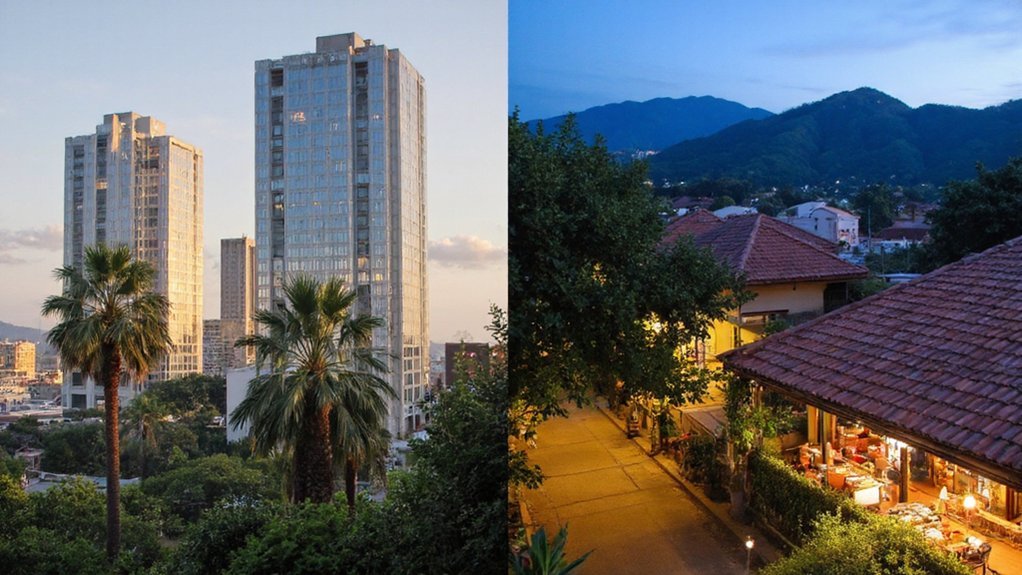
Which San Jose do you mean? You should specify which San Jose when asking about local services, events, or travel. Say “San Jose, California” for the Silicon Valley city, “San José, Costa Rica” for the national capital, or “San Jose” plus province for Philippine municipalities. Include clarifiers like county, country, ZIP or postal code, and a nearby landmark or airport to remove doubt. If you’re coordinating with residents or businesses, use the municipal government name or local neighborhood (e.g., Downtown, West San José). When listing contacts, add area code and country code. Being precise helps community members, emergency services, and planners respond accurately and keeps communications efficient. You’ll avoid confusion and save time when residents and officials act on clear location details swiftly together.
Time Zones That Affect San Jose

You should know San Jose observes the Pacific Time Zone (PT), which sets standard time for local schedules and business hours. You’ll also need to account for Daylight Saving Time, when clocks move forward in spring and back in fall. Understanding both helps you coordinate events with other regions and visitors.
Pacific Time Zone
In the Pacific Time Zone, San Jose observes Pacific Standard Time (UTC−8) in winter and Pacific Daylight Time (UTC−7) during daylight saving months, and it’s what shapes local business hours, public transit schedules, and coordination with the rest of California and the West Coast. You rely on Pacific Time for planning meetings, attending city events, and syncing with schools and employers across the Bay Area. Local agencies, transit operators, and community organizations publish schedules in Pacific Time so you’ll know when services run. When you communicate with people outside the zone, convert times to avoid confusion. Knowing San Jose follows Pacific Time helps you coordinate deliveries, broadcasts, and volunteer work with neighbors and regional partners efficiently. Check official local sources for any schedule updates.
Daylight Saving Time
Schedules change twice a year when daylight saving time begins and ends: San Jose shifts from Pacific Standard Time (UTC−8) to Pacific Daylight Time (UTC−7) on the second Sunday in March and returns on the first Sunday in November. You should set clocks forward one hour in March and back one hour in November; most devices update automatically. Daylight saving affects business hours, transit schedules, and community events, so check local listings when planning. Employers, schools, and services follow the change, and you’ll notice longer evening daylight in summer. If you coordinate with people outside the Pacific Time Zone, confirm UTC offsets during DST. Staying aware prevents missed meetings and travel disruptions and helps your neighborhood align schedules smoothly and support community timing consistency.
How Daylight Saving Time Changes the Clock

When Daylight Saving Time starts, San Jose residents set their clocks forward one hour—usually at 2:00 a.m.—so evenings gain daylight while mornings lose an hour. You’ll notice schedules shift: buses, school start times, business hours and community events move with the clock. Plan ahead by updating wall clocks, appliances and devices that don’t adjust automatically. Outdoor programs and local retailers often extend evening services, while morning routines may feel darker for a while. When DST ends, you’ll set clocks back one hour, recovering that morning light. Council notices and transit agencies publish reminders before each change; check their updates so you and your neighbors avoid missed appointments. Small steps—adjusting alarms and confirming device settings—keep daily life running smoothly. Community communication makes changes easier always.
Current Time in San Jose, California (Pacific Time)
Right now, San Jose follows Pacific Time (PT), which is UTC−8 during Standard Time and UTC−7 during Daylight Saving Time, so you should confirm your clock or device for the exact local time. If you live, work, or coordinate with people in San Jose, you’ll want accurate local time for meetings, transit, and community events. Local agencies, schools, and businesses schedule services based on PT, and online calendars typically adjust for Daylight Saving automatically. When arranging calls with other U.S. regions or international partners, check the offset and any DST changes. Public resources like city websites and county transportation pages publish official timings and alerts. Keep devices updated, and rely on official local notices for unexpected schedule shifts. Share updates with neighbors and colleagues.
Current Time in San José, Costa Rica (Central Standard Time)
As of now in San José, Costa Rica, local clocks follow Central Standard Time (CST), which is UTC−6 year‑round, since the country doesn’t observe Daylight Saving Time. You can rely on a steady time offset when scheduling calls, planning travel, or coordinating community events with residents and organizations there. Municipal services, businesses, and schools operate on this consistent schedule, so local timetables rarely shift. When you check local news, transit timetables, or public notices, timestamps will reflect CST year‑round. That predictability helps volunteers, remote workers, and visitors align plans without seasonal adjustments. Stay aware of local holidays and business hours, and you’ll find coordinating with San José’s community straightforward and dependable. You should also verify event-specific times to avoid surprises during special occasions locally.
Converting Time Between San Jose and Your Location
San José uses Central Standard Time (UTC−6) year-round, so you have a stable reference point. To convert, identify your local UTC offset and subtract San José’s offset to get the hour difference. Apply that difference when scheduling with others and double-check if your region observes daylight saving.
Time Zone Basics
If you’re scheduling with people in San Jose, remember the city uses Pacific Time—UTC−8 in standard time and UTC−7 during daylight saving—so you’ll add or subtract that offset relative to your local zone. Pacific Time observes daylight saving from the second Sunday in March to the first Sunday in November; clocks spring forward one hour in March and fall back one hour in November. San Jose follows the same state rules, so local observances, business hours, and public services shift accordingly. When you plan meetings or events, check whether DST is active and note local business hours. Use reliable sources like government sites or major time services to confirm current status. That keeps your community interactions smooth and respectful of local time conventions accurately.
Calculate Time Difference
To convert meeting times between San Jose and your location, first confirm whether Pacific Time is on standard time (UTC−8) or daylight saving time (UTC−7). Next, determine your local UTC offset including any daylight rules. Subtract San Jose’s offset from yours to get the time difference; if your offset is ahead, add that many hours to San Jose time, if behind, subtract. Use integer or half-hour offsets as needed and adjust for date changes when crossing midnight. For recurring events, check DST changeover dates to avoid misalignment. You can simplify this with world clock apps, calendar tools that auto-adjust, or a shared community schedule that lists both local and San Jose times. Communicate converted times clearly and confirm before the meeting to verify accuracy.
Common Scheduling Pitfalls and How to Avoid Them
Why do community events keep colliding or running late? You often assume everyone interprets times the same way, but daylight saving changes, ambiguous time zones, and vague start/end times cause confusion. You can set clear local time labels, specify whether times are start or arrival windows, and state expected duration. You should coordinate with regular reminders and confirm key participants the day before. You must factor in travel, setup, and switchovers between activities. Use shared agendas and backup plans for delays so the group adapts without losing momentum. Assign a timekeeper to enforce schedules and cut or extend segments as needed. Encourage feedback after events to refine future timing. That benefits organizers and attendees.
Best Tools and Websites to Check the Current Time
How do you quickly verify the current time for everyone involved? Use reliable, shared sources: your phone or computer clock (set to network time), time.gov, timeanddate.com, and time.is. These sites display official UTC offsets, DST status, and can embed clocks on team pages. Install a trusted browser extension or widget so your group sees the same reference. For meetings, share a screenshot or permalink from a site rather than relying on memory. Configure calendars to display local time and enable automatic time-zone updates on devices. If you run systems, point servers to NTP pools for synchronized timestamps. Encourage team members to check one agreed source before scheduling to reduce confusion and guarantee consistent timing across devices. Keep a short, shared checklist for time checks.
Time Differences Between San Jose and Major World Cities
When scheduling across regions, you’ll need a quick reference for how San Jose’s time compares to major world cities. You’ll find common offsets listed so your team coordinates meetings without confusion. Below is a simple snapshot.
| City | Time Zone | Difference |
|---|---|---|
| New York | ET | -3 hours |
| London | GMT | +8 hours |
| Tokyo | JST | +16 hours |
Use these offsets as baseline; verify daylight saving changes before finalizing times. You’ll want to share the table in community calendars and group threads so everyone sees local equivalents. For cross-team projects, standardize on UTC reference to reduce errors. Encourage members to confirm local clocks during seasonal shifts; that keeps meetings punctual and respects collaborators’ time zones. Post updates when rules change so your community stays aligned and avoids confusion regularly.
Quick Tips for Travelers and Remote Workers
What should you do to stay productive and comfortable in San Jose? Plan meetings around Pacific Time, and sync calendars to avoid confusion with colleagues abroad. Choose accommodations with reliable Wi‑Fi and local SIM options; test speeds before important calls. Use coworking spaces downtown for stable connections and networking. Factor in local traffic when scheduling in-person meetings—rush hours run roughly 7–9am and 4–6pm. Pack weather-appropriate layers: mornings’ll be cool, afternoons mild. Keep charger adapters and a power bank handy. Use public transit and bike lanes to save time and meet residents. Respect local workplace norms: be punctual, professional, and concise. Bookmark emergency numbers and nearby medical centers for peace of mind. Join local meetups or online community boards to get real-time insider tips and locals
Conclusion
You’ll need to pick which San Jose you mean — California (Pacific Time) or Costa Rica (Central Standard Time) — and account for daylight saving in California. Use reliable tools like your device clock, timeanddate.com, or a world‑clock app to confirm local time before scheduling. When coordinating across time zones, state the city and UTC offset, confirm with participants, and keep your community in mind to avoid confusion. Do this and everyone stays synced and punctual today.